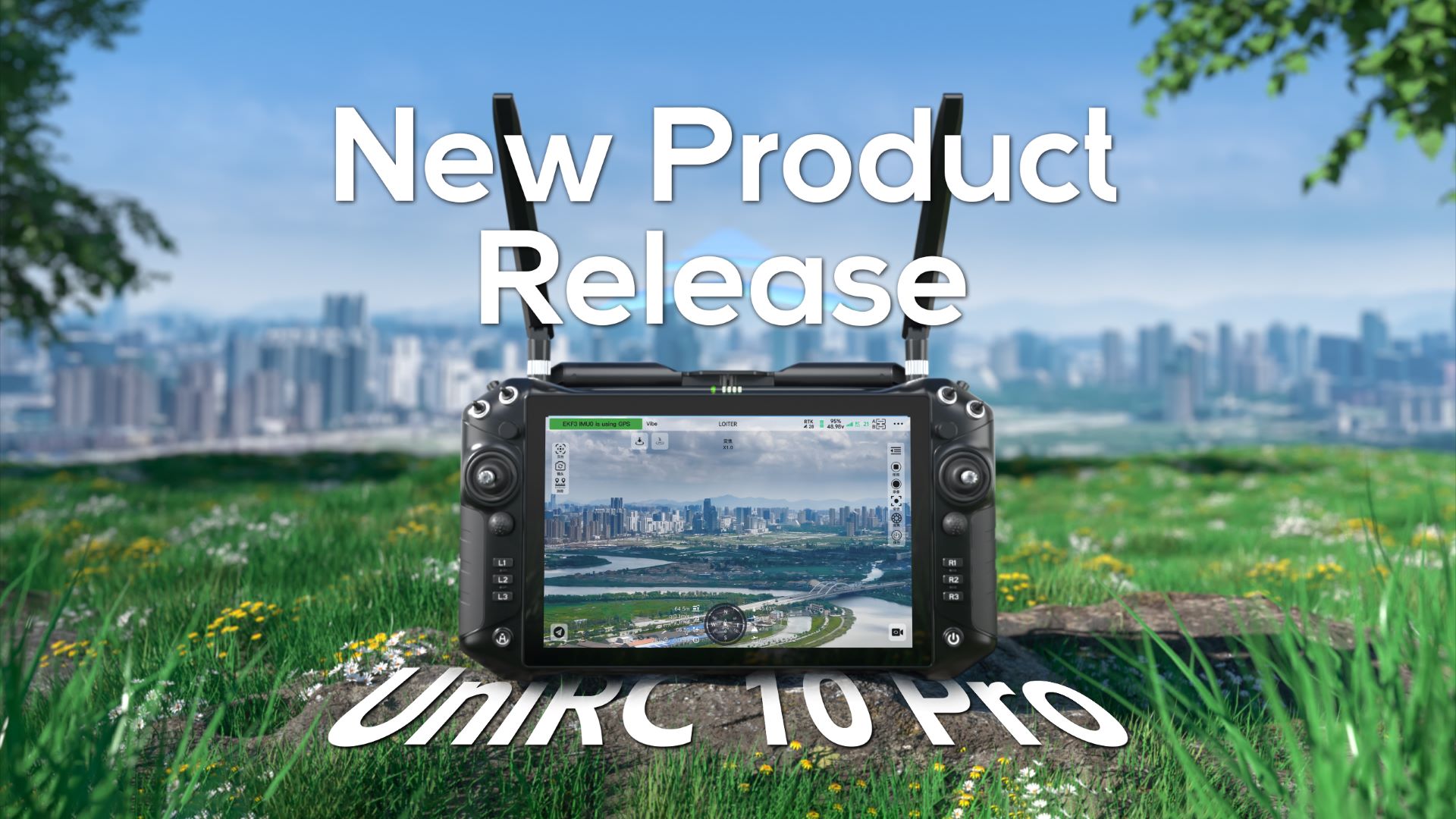
Dear SIYI Technology Users,
Thank you for your continued support and trust!
In August 2025, we officially released a major update of the mixed-source ecosystem ground control station software UniGCS v2.0, which optimized intelligent route functions and became compatible with Mavlink-based products, SIYI products, and all third-party products, garnering widespread attention in the industry. Over the course of four months, we received extensive feedback and suggestions from both domestic and international users.
Now, we officially released UniGCS v3.0! To further simplify the pilot's control logic and enhance the user experience, this major update enables integrated parameter adjustment for gimbals, remote controllers, flight controllers, and propulsion systems in a single step. A single software solution now covers everything from parameter tuning to operation, empowering pilots to perform their tasks with greater professionalism and ease.
UniGCS Ground Station Software
Software Version: 3.0.1
Update Details:
1. Optimize flight controller parameter tuining capabilities.
Now including ESC calibration, motor testing, battery module settings, PID tuning, servo configuration, and flight mode setup.
2. Support customize OSD content and style.
Allowing users to directly adjust text size and color for data displays.
3. Introduced customizable voice alerts.
Enabling users to enable/disable or add custom alert segments.
4. Upgrade intelligent route features.
Added display features for waypoint photo points, camera field of view angles, and loiter point loiter radius.
Added functionality for generating circular/rectangular flight routes and configuring flight trajectory length.
5. Upgraded the security log functionality.
Introduced telemetry log playback and flight controller log management, supporting flight trajectory replay and tracking of aircraft status and landing points.
6. Fixed some known issues.
Part 1. Optimize Flight Controller Tuning Features
Added various settings (servo configuration / RC IN settings / PID tuning), flight mode setup, frame type selection; battery module settings and calibration; as well as motor testing and ESC calibration.
One-Stop parameter adjustment for optical pod, link & controller, flight controller and propulsion systems.
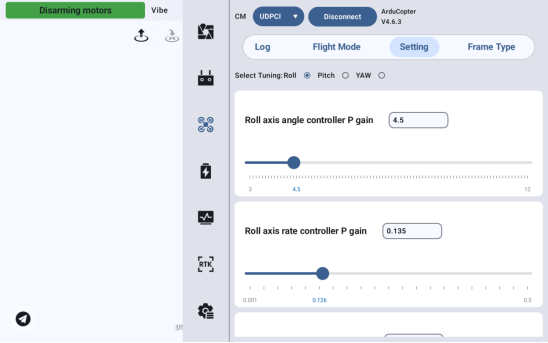
01. PID Tuning
Adjust the control response of drone channels such as roll, pitch, and yaw. By selecting the current adjustment axis with a radio button, directly input values in the text box or adjust them by dragging the slider. The scale below shows the parameter value range.
02. Servo Settings
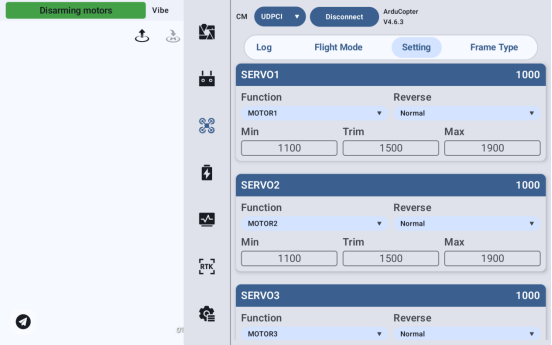
Configure the servo/motor channel function settings for the flight controller to establish the mapping between channels and hardware actuators. Adjustable servo numbers range from SERVO1 to SERVO16, with real-time display of channel output PWM values.
Support specify the corresponding flight controller function for each servo channel, switch servo movement between "normal" and "reverse," and set the min, trim, and max values for PWM signal output.
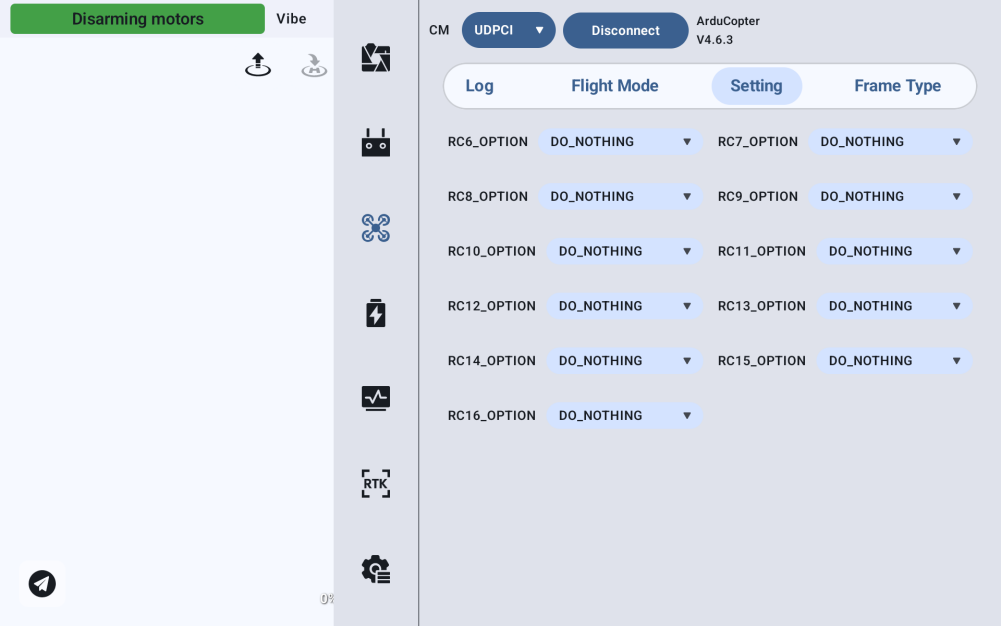
03. RC IN Settings
Allow binding specific flight controller functions (such as switching designated flight modes, dropping device, arming/disarming, etc.) to additional remote control channels. RCx_OPTION represents the x-th remote control auxiliary channel (covering channels RC6 to RC16).
04. Flight Mode Settings
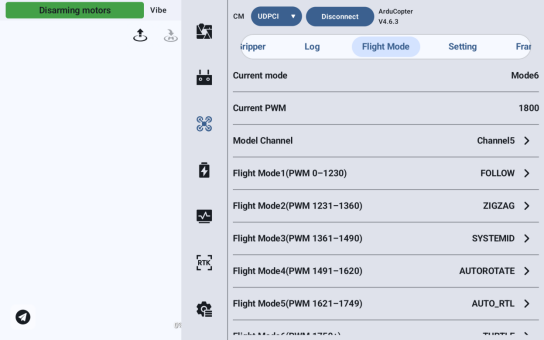
Bind different flight control logics to remote control channels to achieve diversified flight control modes. The system can conveniently display the currently active flight mode of the drone and the corresponding PWM signal values being output. It also allows setting the remote control channel for switching flight modes and adjusting the specific flight modes (such as AUTO, RTL, etc.) corresponding to the six preset mode levels (e.g., Mode 1 corresponds to PWM 0-1230).
05. Frame Type Settings
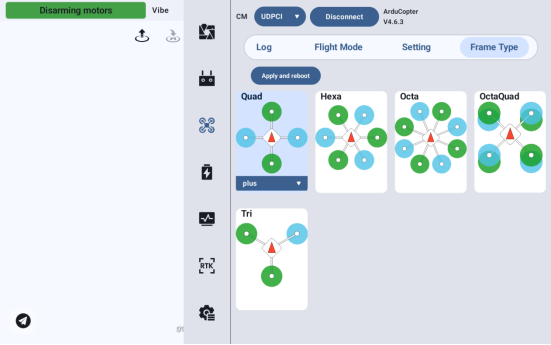
Match the drone’s power layout (number and arrangement of motors/propellers). Click the dropdown menu to choose the frame layout, then click "Apply and Restart." The flight controller will load the power control algorithm corresponding to the selected frame, and the changes will take effect after the restart.
06. Battery Module Settings
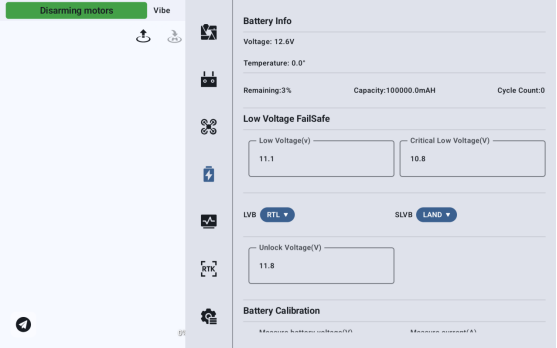
Display current battery information (voltage, temperature, remaining capacity, battery capacity, and cycle count), low-voltage falisafe settings, and battery calibration (corrects the flight controller's detection deviations for battery voltage, current, and further adjusts capacity detection, ensuring accurate power level display and flight safety).
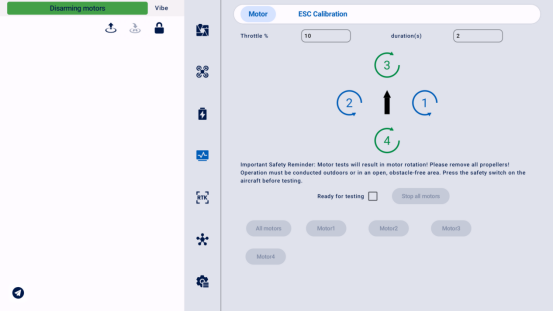
07. Motor Testing
Support testing the operational status of motors individually or in batches. Users can customize the throttle percentage and specify the operating duration.
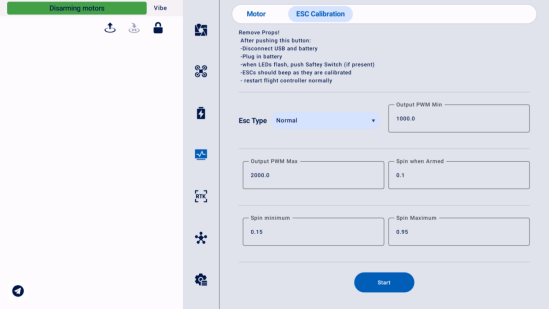
08. ESC Calibration
Support matching the signal output range between the ESC and the flight controller, configuring the ESC type, setting the min/max PWM output, arming/min/max RPM, and executing ESC calibration procedures.
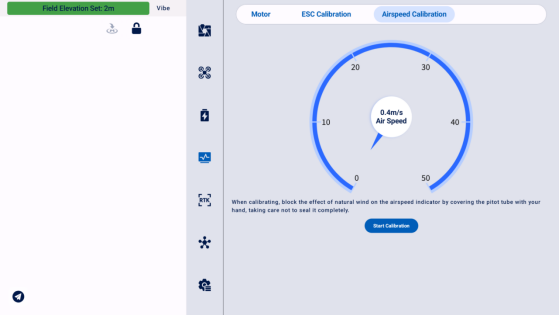
09. Airspeed Calibration
Correct measurement errors of the airspeed sensor. Place the drone in a stationary, windless environment, cover the pitot tube with hand (without fully blocking it), and click "Calibrate" to proceed.
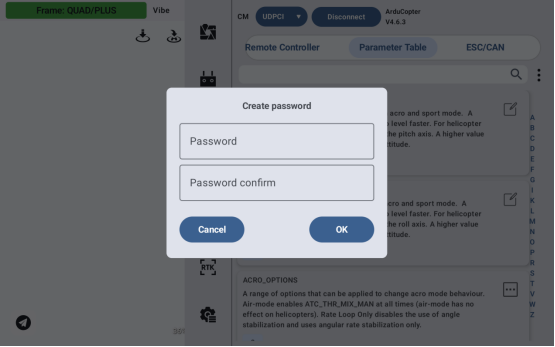
10. Added Parameter Table - Edit Password Settings
On the parameter table page, the new feature supports setting a password for parameter editing. Once configured, any subsequent modifications to parameters in the table will require entering this password before proceeding with the operation.
Part 2. Upgrade Operation Experience
In addition to upgrading flight controller parameter tuning, SIYI UniGCS v3.0 further enhances the pilot's operational experience by supporting OSD customization, customizable voice alerts, one-click arming/disarming, quick flight mode switching, and gimbal scan connections.
It also optimizes and enhances the intelligent route function, adding waypoint photo points and route field-of-view angle displays, new rectangular/circular route options, optional local terrain following files, an updated pre-flight check interface, and the addition of terrain height display for routes.
01. Support Customizable OSD Styles
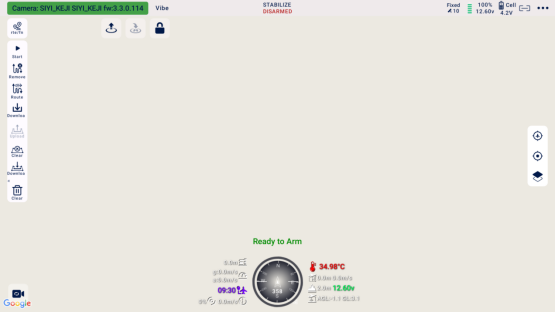
In the new version, you can freely configure the telemetry data and display styles around the attitude indicator during flight by long-pressing any telemetry data around the ball. Customization options include font size, color, and more, meeting personalized needs.
02. Customizable Voice Broadcast
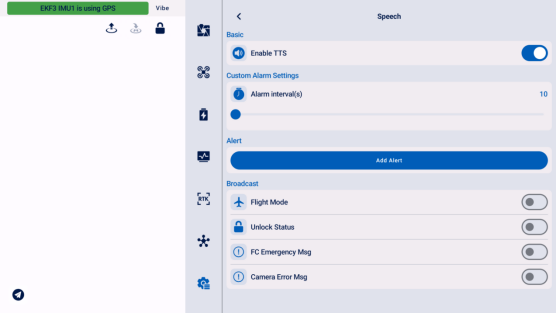
The new version adds support for enabling/disabling voice alerts, customizing voice alert intervals, adding custom alerts, or individually enabling/disabling specific alert items.
03. One-Click Arming/Disarming
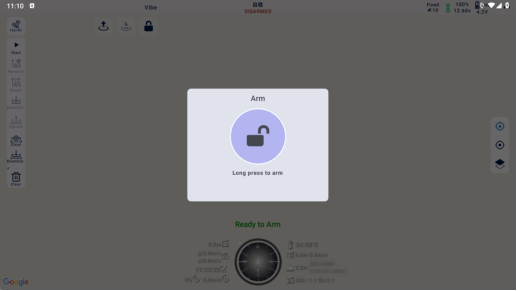
A "One-Click Arming/Disarming" button has been added to the main interface. Click to arm/disarm, or click and hold to immediately execute the arming/disarming command. If any safety checks fail during this process, you can click "Force Arm/Disarm" to proceed with arming or disarming.
04. Upgrade Three/Six Flight Modes
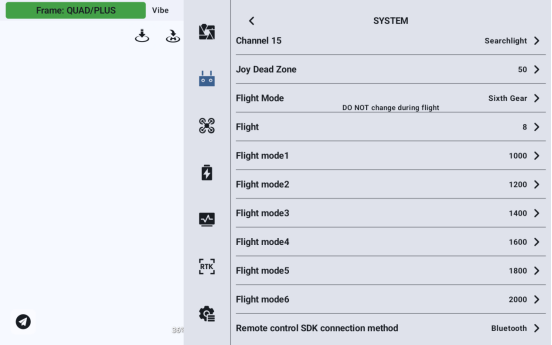
UniGCS v3.0 supports mapping buttons M1-M3 (for three flight mode) or buttons M1-M6 (for six flight mode) to a single channel. When pressed sequentially, the current channel changes according to the configured settings.
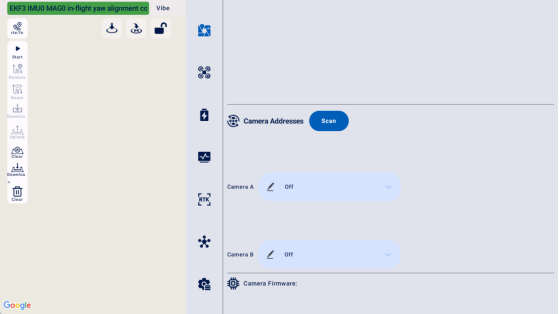
05. Supports Gimbal Scanning Connection
UniGCS v3.0 supports connecting gimbals via scanning. Click the scan connection button, and the detected cameras will appear in the list. Click the connect button to establish a connection.
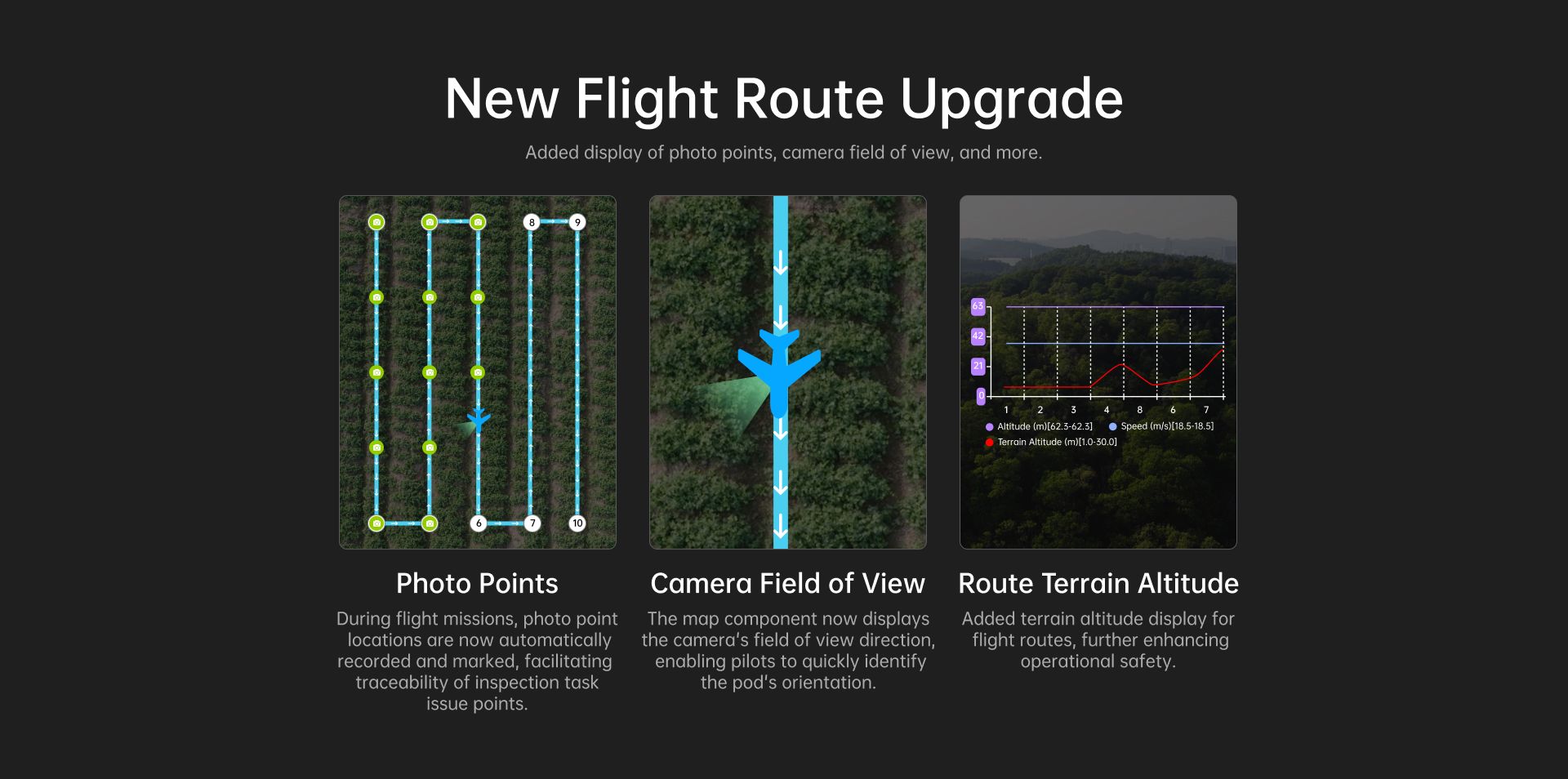
06. Added Waypoint Photo Points and Camera Field of View Display
UniGCS v3.0 supports displaying the route direction and shutter trigger positions along the route, facilitating review and traceability for tasks such as inspection and security operations.
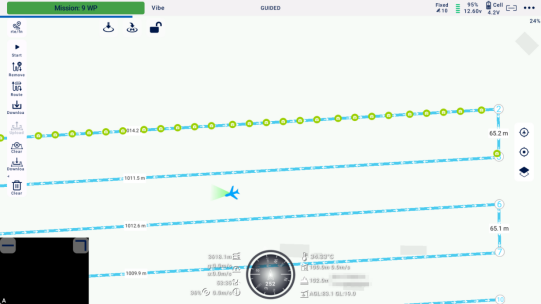
During route flight operations, the new version of the software supports displaying the camera's field of view direction relative to the drone, making it easier for pilots to quickly adjust the gimbal angle and capture the desired footage.
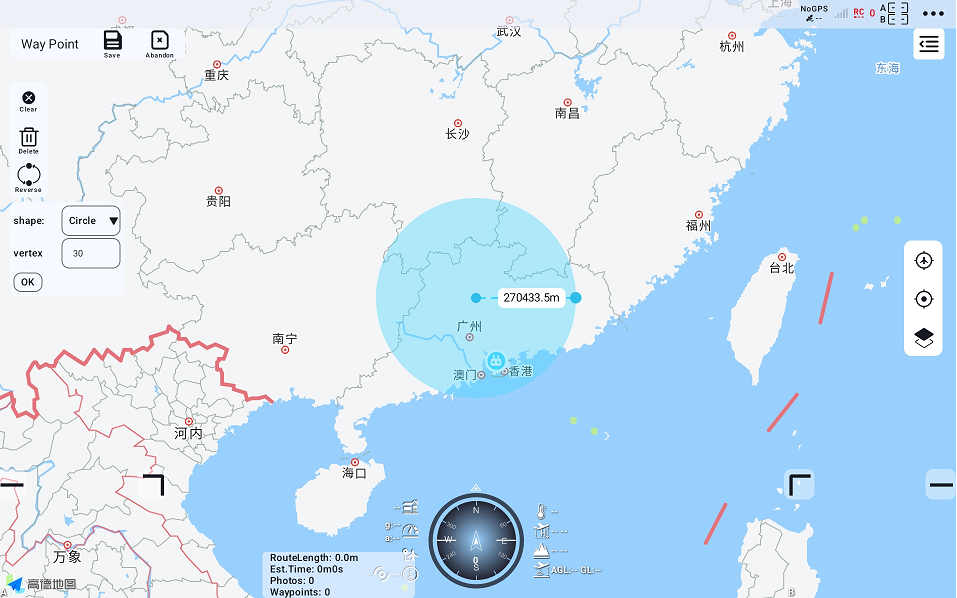
07. Route Planning Now Includes Rectangle and Circle Shape Options
Added route shape selection options.
· Custom shapes: Randomly clicked waypoint positions.
· Rectangles: Generating a rectangular route with 4 waypoints; dragging the blue points of the preview frame or zooming in/out on the map determines the length and width of the rectangle.
· Circles: Generating a circular route with a specified number of points, up to 300; dragging the blue points of the preview frame or zooming in/out on the map determines the radius of the circle; individual waypoint coordinates are determined by the circle's center and radius.
08. Pre-Flight Check Interface Updated - Added Route Terrain Elevation
The pre-flight check interface has been updated and upgraded, now including the display of route terrain elevation to further enhance operational safety.
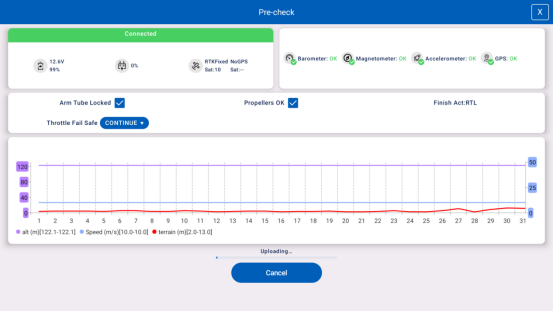
09. Added Optional Local Terrain-Following Files
On the pre-flight check page, optional local terrain-following files are now available. When network terrain data cannot be loaded or does not meet current usage requirements, users can select one or more local terrain files. The required format for terrain files is ".TIF".
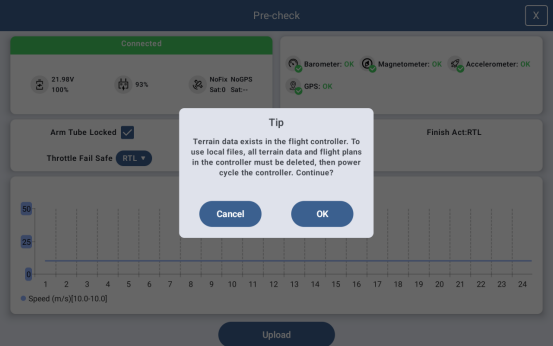
Part 3. Upgraded the Security Log Functionality
To further enhance flight safety, UniGCS v3.0 has introduced telemetry log playback and flight controller log management features, facilitating post-flight status review and analysis.
01. Added Flight Playback Features
UniGCS v3.0 supports automatic local recording of telemetry data, which is saved on the ground station. After a flight mission, users can analyze the flight process through playback, dynamically displaying the flight trajectory, altitude/speed, and other telemetry data on the map.
This provides a clear visualization of the aircraft's status at any given moment, enabling the analysis of influencing factors and tracking of the aircraft's landing point.
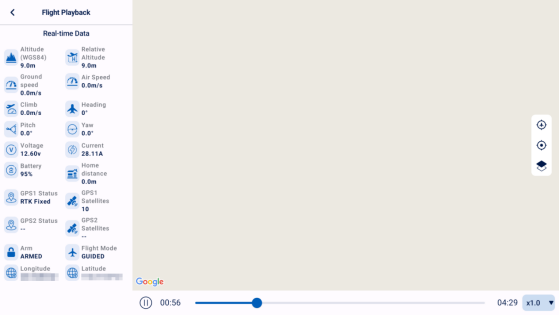
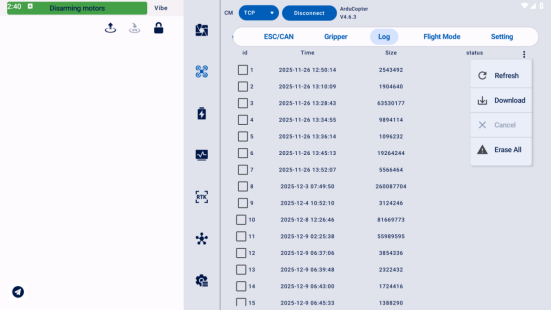
02. Added Flight Controller Log Management Features
Managing, viewing, downloading, and maintaining flight controller logs.
Get the Latest Software:
Standard: https://siyi.biz/en/index.php?id=downloads3&asd=476
MK15/MK32: https://siyi.biz/en/index.php?id=downloads1&asd=193
Note:
1. MK15/MK32 require dedicated versions. Please visit the respective product download pages!
2. If UniGCS is already installed, the update will be pushed automatically upon opening the app, allowing direct download and update!
Best Regards.






Scan to follow the official account